AI Tools: Find the Best AI Tools for Work, Creativity, Business & Everyday Tasks
Artificial intelligence is changing the way people work, learn, create content, build businesses, and solve everyday problems. Today, you don’t always need advanced technical skills to use AI. With the right AI tools, you can write content, generate images, create videos, analyze information, build websites, write code, automate repetitive tasks, and improve productivity.
But there is one major problem: there are too many AI tools available today.
New AI platforms are launched regularly, while existing platforms continue to add new features. For beginners, students, marketers, developers, creators, freelancers, and business owners, choosing the right tool can become confusing.
This guide will help you discover some of the most useful AI platforms across different categories. Instead of choosing a tool simply because it is trending, you can compare what each platform is designed to do and select the one that fits your needs.
What Are AI Tools?
AI tools are software applications and online platforms that use artificial intelligence to perform or assist with different tasks.
These tasks can include writing, research, image generation, video creation, coding, design, marketing, automation, customer support, presentations, productivity, and education.
For example, ChatGPT can help users brainstorm ideas, write drafts, explain concepts, and work with information. Google Gemini can assist with research, writing, reasoning, and other tasks. Midjourney and Leonardo AI can help users create visual content.
The important thing to understand is that there is no single tool that is perfect for everyone. Different AI tools are built for different purposes.
Why Are AI Tools So Popular?
The biggest advantage of AI is productivity.
A task that previously required hours of manual work can sometimes be completed much faster with AI assistance. This does not mean AI should replace human judgment. Instead, it can help people spend less time on repetitive work and more time on strategy, creativity, and decision-making.
Some common benefits include:
- Saving time
- Generating ideas quickly
- Improving productivity
- Automating repetitive tasks
- Creating content faster
- Supporting research
- Helping with coding
- Creating images and videos
- Improving writing
- Organizing information
For freelancers and small businesses, the right AI tools can also help reduce the amount of repetitive work involved in daily operations.
20 Best AI Tools to Explore
Below are 20 popular AI platforms covering different use cases. Some are general-purpose tools, while others focus on writing, images, video, coding, design, research, or automation.
1. ChatGPT

ChatGPT is one of the best-known AI assistants and can be used for a wide variety of tasks.
It can help with brainstorming, writing, summarization, explanations, coding, research assistance, planning, and many other workflows.
For beginners, it is a good starting point because you can interact with it using natural language.
Best for: Writing, brainstorming, learning, coding, research, and general productivity.
2. Google Gemini

Google Gemini is Google’s AI platform designed for tasks such as writing, reasoning, research, brainstorming, and working with different types of information.
It can be useful for students, professionals, creators, and people already using Google’s ecosystem.
Best for: Research, writing, productivity, brainstorming, and Google ecosystem users.
3. Claude

Claude is an AI assistant developed by Anthropic. It is widely used for writing, analyzing information, summarizing long content, brainstorming, and working with documents.
Its conversational interface makes it useful for users who need detailed responses and structured assistance.
Best for: Writing, document analysis, reasoning, and professional workflows.
4. Perplexity

Perplexity focuses heavily on AI-powered search and research.
Instead of simply returning a traditional list of search results, it can provide conversational answers and cite sources that users can investigate further.
This makes it particularly useful when you want to explore a topic and quickly identify relevant information.
Best for: Research, fact-finding, topic exploration, and web search.
5. Microsoft Copilot

Microsoft Copilot brings AI assistance into Microsoft’s ecosystem and can help users with writing, productivity, research, and other tasks depending on the version and integration being used.
For people who already work with Microsoft products, Copilot can become part of an existing workflow.
Best for: Productivity, Microsoft ecosystem, writing, and workplace assistance.
6. Midjourney

Midjourney is well known for AI-generated images and creative visual concepts.
Creators can use it to experiment with artistic styles, environments, characters, concepts, and visual ideas.
It can be particularly useful when you need inspiration or want to create visuals that would otherwise require extensive design work.
Best for: AI art, creative images, concepts, and visual experimentation.
7. Leonardo AI

Leonardo AI is an image-generation and creative platform that can help users create visual assets using AI.
It is useful for creators, designers, marketers, game developers, and anyone who needs AI-generated graphics or concepts.
Best for: Image generation, creative design, marketing visuals, and concept art.
8. Canva AI

Canva combines traditional graphic-design features with AI-powered capabilities.
Users can create presentations, social media graphics, posters, marketing materials, and other visual content while using AI to speed up parts of the design process.
For beginners who do not have professional design experience, Canva can be particularly accessible.
Best for: Social media designs, presentations, marketing graphics, and beginner-friendly design.
9. Runway

Runway focuses on AI-powered video creation and creative production.
It can help creators experiment with AI-generated video, visual effects, editing workflows, and other forms of digital storytelling.
Video creators can use it as part of a broader production workflow rather than relying on one application for every task.
Best for: AI video generation, creative video production, and visual effects.
10. ElevenLabs

ElevenLabs specializes in AI-generated voice and audio technology.
It can be useful for creators who need voiceovers, narration, audio content, or other voice-related applications.
For video creators, AI voice technology can reduce the time required to produce narration for certain types of content.
Best for: Voice generation, narration, voiceovers, and audio content.
11. Gamma

Gamma helps users create presentations and other visual documents with AI assistance.
Instead of starting from a completely blank presentation, users can provide a topic or idea and use AI to help structure the content.
This can be useful for students, marketers, business professionals, and entrepreneurs.
Best for: Presentations, documents, pitches, and business content.
12. Cursor

Cursor is an AI-powered coding environment designed to assist developers while they work with code.
It can help developers understand code, generate code, make changes, and work through programming tasks.
For developers, AI coding assistance can reduce repetitive work and make experimentation faster.
Best for: Software development, coding, debugging, and code assistance.
13. GitHub Copilot
GitHub Copilot is an AI coding assistant designed to help developers write and understand code.
It can provide coding suggestions and assist with common development tasks directly within supported development environments.
It is particularly useful for developers who want AI assistance without leaving their coding workflow.
Best for: Programming, code suggestions, development, and productivity.
14. Grammarly
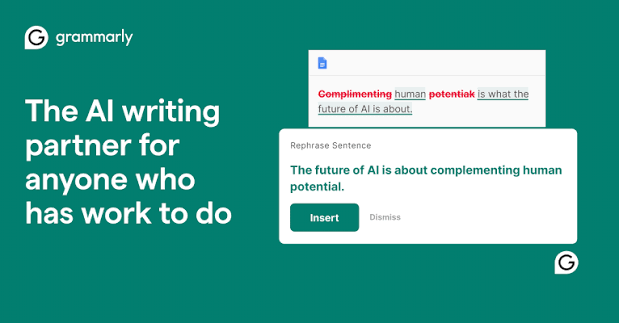
Grammarly uses AI-powered features to help users improve writing.
It can assist with grammar, clarity, tone, rewriting, and other writing-related tasks.
Students, professionals, marketers, and content creators can use it to make their writing clearer and more polished.
Best for: Writing improvement, grammar, editing, and professional communication.
15. Jasper
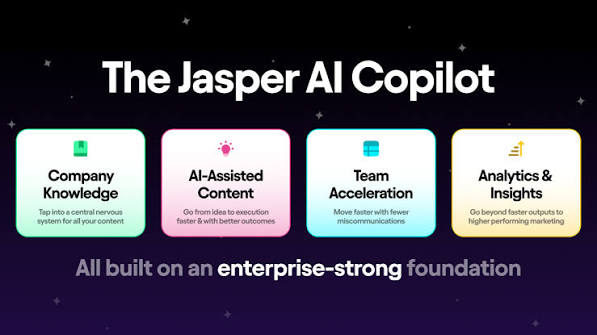
Jasper is focused heavily on marketing and business content.
It can help teams with content creation, marketing workflows, campaign ideas, and brand-focused writing.
For businesses producing content regularly, specialized marketing-focused software can be useful.
Best for: Marketing content, business writing, campaigns, and brand content.
16. Notion AI
Notion AI brings AI capabilities into the Notion workspace.
It can assist with notes, summaries, writing, brainstorming, and organizing information.
For teams and individuals already using Notion for project management or documentation, AI features can make the workspace more useful.
Best for: Notes, productivity, documentation, brainstorming, and team workflows.
17. HeyGen

HeyGen focuses on AI-powered video creation, including avatar-based and presenter-style videos.
It can be useful for businesses, marketers, educators, and creators who want to produce certain types of videos without traditional filming.
Best for: AI avatars, marketing videos, presentations, and business communication.
18. Synthesia

Synthesia is an AI video platform focused on creating videos with AI avatars and voice capabilities.
Businesses and organizations can use this type of technology for training, internal communication, educational material, and presentations.
Best for: Training videos, business communication, education, and presentations.
19. Zapier
Zapier is well known for connecting different applications and automating workflows. Its AI capabilities can also help users build more intelligent automation processes.
For example, businesses can create workflows that move information between applications, trigger actions, and reduce repetitive administrative tasks.
Best for: Automation, integrations, business workflows, and productivity.
20. Writesonic

Writesonic provides AI-powered features focused on content creation and marketing.
It can help users generate ideas, drafts, marketing content, and other written material.
Content teams can use tools like this to speed up parts of the content production process while maintaining human editing and review.
Best for: Content creation, marketing, blog writing, and copywriting.
AI Tools Comparison
Different users need different solutions. The following table provides a quick overview of the 20 platforms discussed above.
| AI Tool | Main Use | Best For |
|---|---|---|
| ChatGPT | AI assistant | General tasks |
| Google Gemini | AI assistant & research | Productivity |
| Claude | Writing & reasoning | Documents |
| Perplexity | AI search | Research |
| Microsoft Copilot | AI assistance | Microsoft users |
| Midjourney | Image generation | Creative visuals |
| Leonardo AI | Image generation | Designers & creators |
| Canva AI | Design | Social media & presentations |
| Runway | Video | Video creators |
| ElevenLabs | Voice | Voiceovers |
| Gamma | Presentations | Business & students |
| Cursor | Coding | Developers |
| GitHub Copilot | Coding | Programmers |
| Grammarly | Writing | Professionals |
| Jasper | Marketing | Businesses |
| Notion AI | Productivity | Teams |
| HeyGen | AI video | Marketing |
| Synthesia | AI video | Training |
| Zapier | Automation | Businesses |
| Writesonic | Content | Marketers |
How to Choose the Right AI Tools
Having a list of 20 platforms does not mean you need to use all of them.
The right choice depends on what you want to accomplish.
Start With Your Goal
First, define your task.
Do you need to write an article? Create an image? Generate a video? Research a topic? Build software? Automate a business workflow?
Once you know your objective, you can narrow down your options.
Check Features
Do not choose a platform only because it has a popular name.
Compare its features with your actual requirements. Look at supported formats, integrations, usage limits, output quality, and ease of use.
Test Before Paying
Many AI tools offer free plans, trials, or limited access.
Use those options to understand whether a platform actually fits your workflow before purchasing a subscription.
Think About Output Quality
The fastest tool is not always the best tool.
If you are creating content for customers, clients, or your business, quality matters. Test the output and determine whether it requires too much manual editing.
Free AI Tools vs Paid AI Tools
One of the most common questions beginners ask is whether they should use free or paid AI software.
Free options are excellent for learning, testing, and occasional tasks. They allow users to understand how a platform works before spending money.
Paid plans may offer higher limits, advanced features, faster processing, premium models, additional integrations, or commercial features.
The best approach is usually to start with a free option when available and upgrade only when the additional features provide real value.
AI Tools for Students
Students can use AI for learning, brainstorming, research assistance, summarization, explanations, and practice.
For example, ChatGPT, Gemini, Claude, and Perplexity can help students understand difficult concepts when used responsibly.
However, students should not treat AI as a replacement for learning. AI-generated information should be checked, and assignments should follow the academic rules of the institution.
AI Tools for Content Creators
Content creators often need multiple solutions because content production involves several steps.
A creator may use ChatGPT for ideas and scripts, Midjourney or Leonardo AI for images, Runway for video creation, ElevenLabs for voiceovers, and Canva for final graphics.
This shows why there is no single “best” platform for every creator.
The best workflow combines different tools according to the creator’s needs.
AI Tools for Businesses
Businesses can use AI across marketing, customer support, research, content, automation, sales, and internal operations.
Small businesses can particularly benefit because AI can help reduce repetitive tasks without requiring a large team.
However, businesses should be careful with confidential information. Before entering sensitive company or customer data into any AI platform, understand the platform’s privacy and data policies.
How PromptZora Helps You Discover AI Resources
Finding useful AI resources can be difficult when you have to search hundreds of websites.
PromptZora is built to help users discover AI prompts, AI tools, AI models, and other AI resources in one place.
You can visit the [PromptZora homepage] to explore the platform and discover resources for different AI use cases.
The goal is to make AI discovery easier for beginners, creators, marketers, developers, students, freelancers, and businesses.
Instead of randomly trying every new platform, users can focus on finding resources that match their actual requirements.
Tips for Getting Better Results From AI
Choosing good AI tools is only one part of the process. You also need to know how to communicate your requirements clearly.
Give Clear Instructions
Explain what you want the AI to accomplish.
Instead of saying “write something about marketing,” provide details about the audience, topic, tone, length, and objective.
Provide Context
AI performs better when it has useful context.
Tell it who the target audience is, what information it should use, and what restrictions it should follow.
Specify the Output Format
If you want a table, checklist, blog outline, email, social media caption, or step-by-step guide, tell the AI directly.
Review the Result
Never assume that AI-generated information is automatically correct.
Always review important facts, statistics, names, technical information, and business claims before publishing or using the output.
The Future of AI Tools
The AI industry is evolving rapidly.
Future platforms are likely to become more connected, personalized, and capable of completing multiple tasks through a single workflow.
Instead of using separate applications for research, writing, design, analysis, and automation, users may increasingly be able to describe an objective and allow AI systems to coordinate several steps.
This could significantly change how businesses, creators, students, developers, and professionals work.
The most valuable skill will not necessarily be knowing the name of every new platform. It will be knowing which AI tools solve a particular problem and how to use them effectively.
Stay Updated With AI
Because new AI products and features are released regularly, staying updated can help you discover better ways to work.
You can follow PromptZora for AI-related content, prompts, tools, models, and updates.
Follow PromptZora on Instagram
Whether you are a student learning AI, a creator producing content, a marketer growing a business, a developer writing code, or an entrepreneur looking for automation opportunities, learning how to evaluate AI products is becoming an important digital skill.
Final Thoughts
There are thousands of AI tools available, but you do not need all of them.
Start with your goal, identify the problem, explore relevant categories, test a few options, compare their results, and then choose the platform that fits your workflow.
For general AI assistance, platforms such as ChatGPT, Gemini, Claude, and Perplexity can be useful starting points. For visual creation, Midjourney, Leonardo AI, and Canva AI are worth exploring. Creators interested in video can look at Runway, HeyGen, and Synthesia, while developers can explore Cursor and GitHub Copilot.
The key is not to collect as many AI subscriptions as possible.
The goal is to find the right AI solution for the right task.
As artificial intelligence continues to develop, discovering, testing, and understanding new AI resources will become increasingly valuable.
Explore PromptZora to discover AI prompts, AI tools, AI models, and useful resources designed to help you make better use of artificial intelligence.
Frequently Asked Questions
What are AI tools?
AI tools are software applications that use artificial intelligence to help users complete tasks such as writing, research, image generation, video creation, coding, design, automation, and productivity.
Which AI tool is best for beginners?
There is no single best option for everyone. General-purpose platforms such as ChatGPT, Gemini, and Claude are useful starting points because they can assist with many different tasks.
Are AI tools free?
Some AI tools offer free plans, while others are completely paid or provide limited features for free. Always check the current plan and usage limits before choosing a platform.
Can AI tools help businesses?
Yes. Businesses can use AI for marketing, content creation, customer support, research, automation, productivity, and many other workflows.
Can students use AI tools?
Yes. Students can use AI for explanations, brainstorming, research assistance, summarization, and learning. However, they should use AI responsibly and follow their institution’s academic policies.
What should I consider before choosing an AI tool?
Consider its purpose, features, output quality, ease of use, integrations, privacy policies, usage limits, and whether its pricing fits your requirements.
Where can I discover more AI tools?
You can explore PromptZora for AI prompts, AI tools, AI models, and other AI resources.